
- Connect the Lidar to the computer using the USB cable - We only support the LD19, which can be found here
- Access the control center using Chrome or Edge: https://localhost:9443/ then login using “admin” & “secret”
- Switch the Mode to "Audience by Lidar":
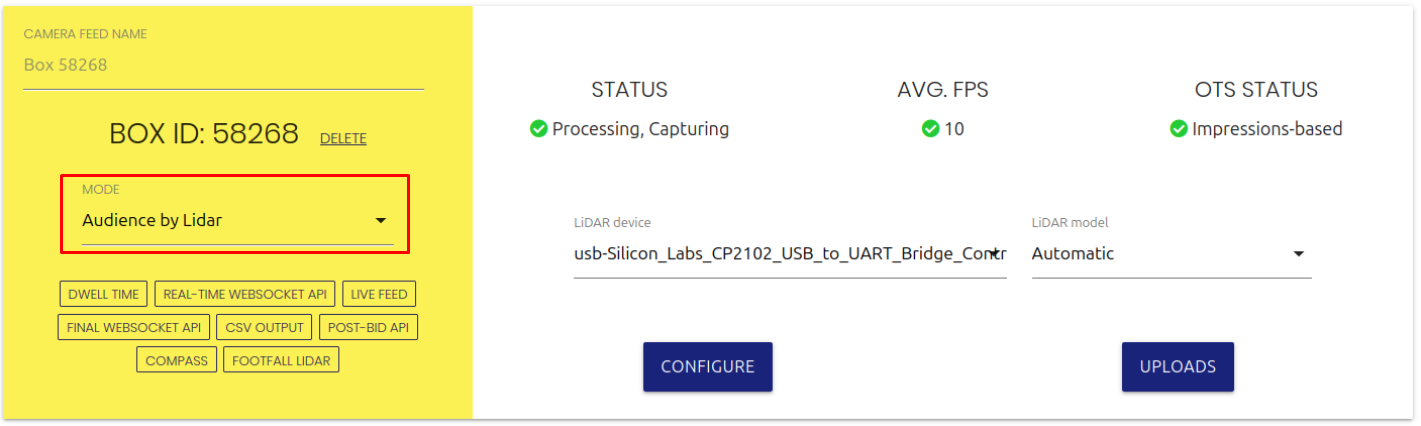
If the LIDAR device is empty, you need to install the LiDAR drivers:
- Go to https://www.silabs.com/developers/usb-to-uart-bridge-vcp-drivers?tab=downloads
- Download and install "CP210x Windows Drivers"
- Restart Vidireports
Note - Make sure to use a USB cable that is fully wired for both power and data. Some cheaper "charge only" cables won't work.