
Important disclaimer: VidiReports is currently validated for Android 7 only. Security and permission model changes introduced in subsequent Android releases introduce compatibility constraints that are not yet supported.
As such, the only VidiReports version currently available on Android is 7.6.4.0
1. Requirements
- User account in VidiCenter
- Pro VRC on your network
- An Android 7 player connected to internet
2. VidiReports Installation steps
- Download the Vidireports APK in the specific downloads section of Vidicenter.
- Install the APK
- Once installed, launch the VidiReports application
- Allow access to the camera
You will see this screen once the installation is successful:
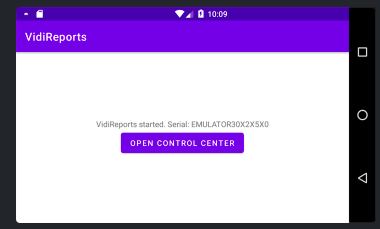
We are referencing your serial for the next step - Be sure to save this number
3. Register your player on Vidicenter
To register your installation, go to the OEM page for Android. Now that your player is running Vidireports, a Box and Location have been associated to it. In order to access the data generated, we need to move them in your network.
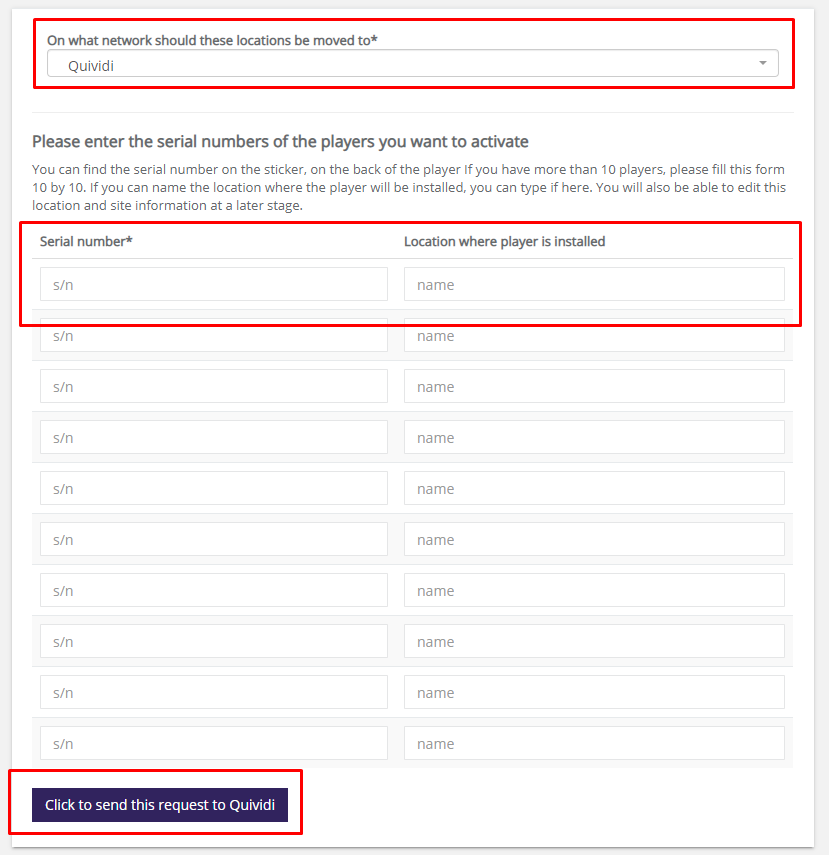
- Select your network in the list
- Locate your player serial number and enter it on the page
- Name the location that will appear in your network.
- Send the request to Quividi - Under 48h, the locations and boxes will appear on the specified network. You can then move them to a dedicated site if needed.
4. Accessing the control center of your Android player
Follow the same steps as usual - More details here: Accessing the Control Center