
Xovis Cameras already include their own gates setup - As such, they need a slightly different setup in Vidireports compared to an average USB camera. Be advise that only Xovis v5 is supported.
First, setup the Xovis camera following the attached video
Once Gates have been designed in the Xovis software, open Vidireports Control Center, then in the "MODE" section, select "Gates - Xovis Sensor":
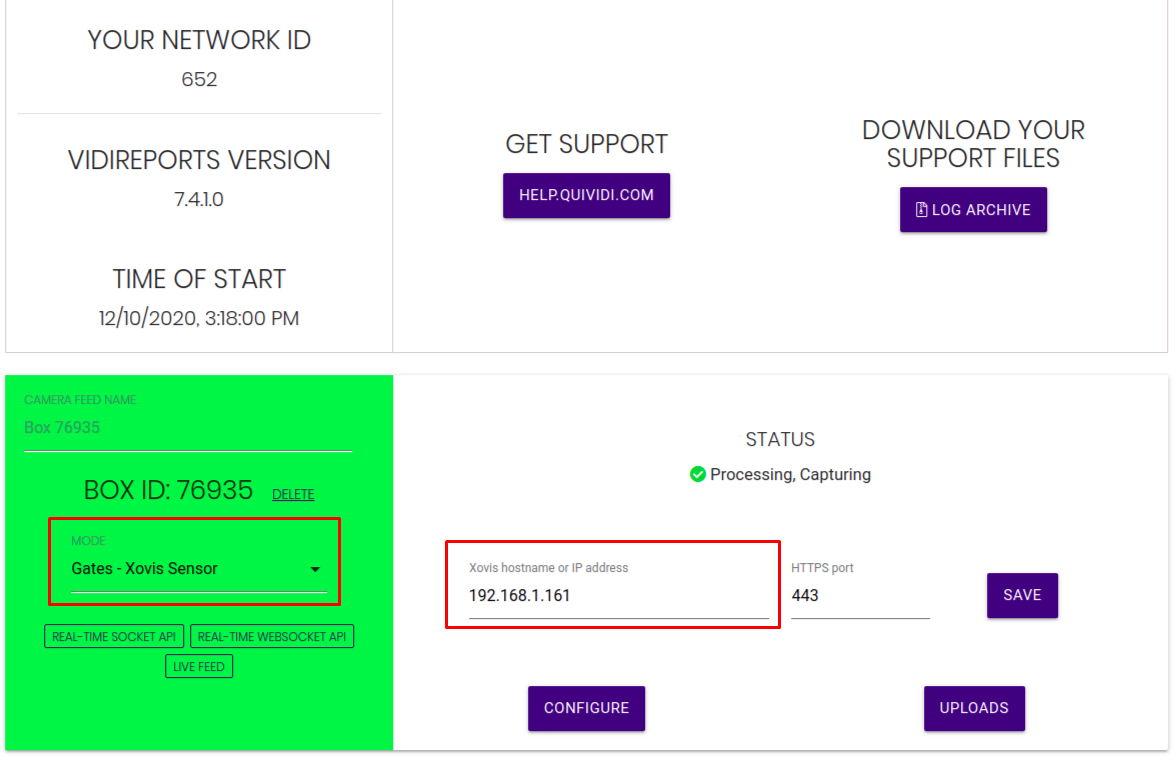
You will then be able to add Xovis IP address and HTTPS port (443 by default) - Data will then be uploaded to Vidicenter once that step is complete.